
In this post, you will understand about windows 10 student discount more clearly. You will get to know why is it need, how is it helpful and other alternatives. Hope I will keep engaged with the topic so, let’s get dive into it. Microsoft, a global leader in devices and services, enables its customer to extend the potentiality of their business by pushing over the limitations. This industry concentrates more on the current required technology, that drives the enterprise businesses by creating cloud platforms. Microsoft windows being dominated desktop by the operating system in the marketing world. It holds a share market of 76.56 percent last December 2020 overboard the great competence.

As a part of technology expansion, Microsoft has recently launched an operating system that unifies all devices into a singular system. It aims to replace desktops, smartphones, and tablets. This idea offers a similar workspace to that of other devices it also functions fantastically when compared to other previous versions.
This offers a special offer that is a windows 10 student discount. The windows 10 version offers a lot more advantages to students with the added benefit of accessing powerful tools like office suite 365 completely free of cost.
Why Do You Need Windows 10 Student Discount?
Microsoft offering Windows 10 has also come with a price tag that cannot be affordable for students. To avail the benefit of the new technology, it is availing offer to both students and teachers. Thus students can avail themselves of windows 10 education edition, office 365, and some discounts on devices like surface go, surface pro, etc.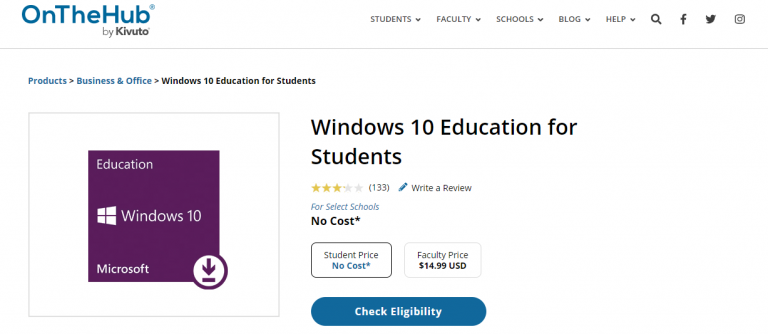
Getting a potential operating system at such a deal is a no better option, what is stopping you from just go for it.
How To Get Windows 10 Student Discount?
The Windows 10 student discount mainly depends on the enrollment of students in a particular school or university. The schools or universities have a direct connection with the Microsoft team, thereby offers you a free or discounted price. To avail of this opportunity, the student has to have any of the mentions, the ID card, or supporting documents like a class schedule, transcript, or acceptance letter.
The eligibility criteria for the students studying in school or university are as follows.
- The student has to enroll as a K-12 student, and at least 13 years old.
- Parent of a K-12 student or college student.
- Enrolled at a four-year university, two-year college, or vocational school.
Follow up with steps to sign in to the Microsoft account to get a windows 10 student discount.
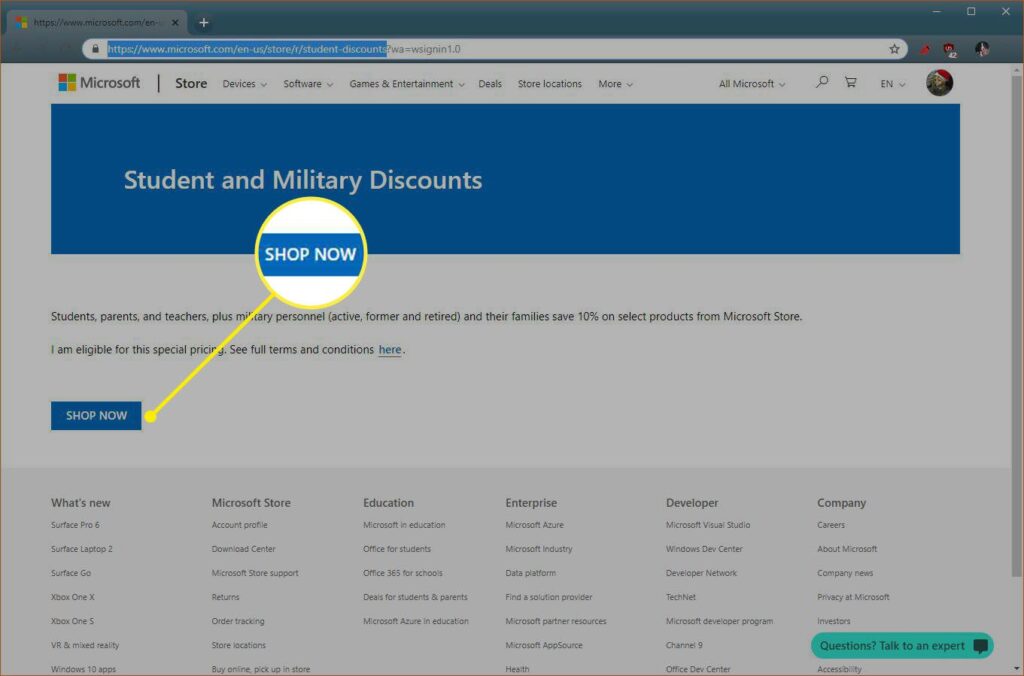
- Go to the Microsoft Student and Military Discounts site, log in with your Microsoft account, and click Shop Now.

- The website checks whether you are eligible or not just by looking at the mail id. The ID has to end with .edu that is quite relatable to the university.
- If eligible then follow the below steps for windows 10 student discount.
- So now check the student deals on the website.
- Find the required software device or application and add it to the cart.

- And complete the checkout process. This method may not work sometimes, so I request you check the alternative if it doesn’t work properly.

1. An Alternative Way of Getting a Discount
As mentioned above, if the school or university of the student is not eligible. Don’t worry I am here to help you out and explore other ways.
I have found two ways, one way is pretty simple that is if you have older versions of Windows say for example Windows 7 or Windows 8 then there is a provision to upgrade the operating system.
You can activate it by using the key from one of those older OSes. The point to note is that you can only use a key on a single PC at a time, so if you use that key for a new PC. And any other PC running on that same key is out of luck.
The second option is quite effective that is here we need to download the operating system from a website called OnTheHub. Follow the steps below to proceed further.
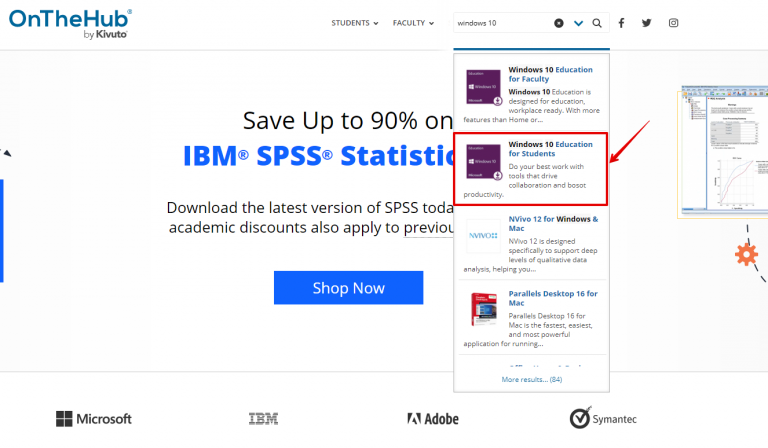
- Go to the website link https://onthehub.com/.
- Now find the Windows 10 student discount in the search bar.

- The results show you that.
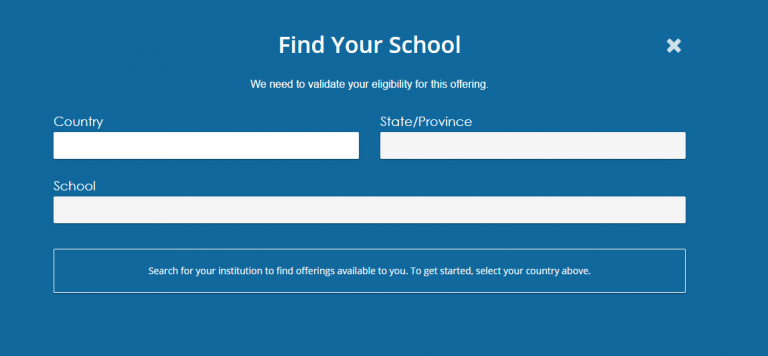
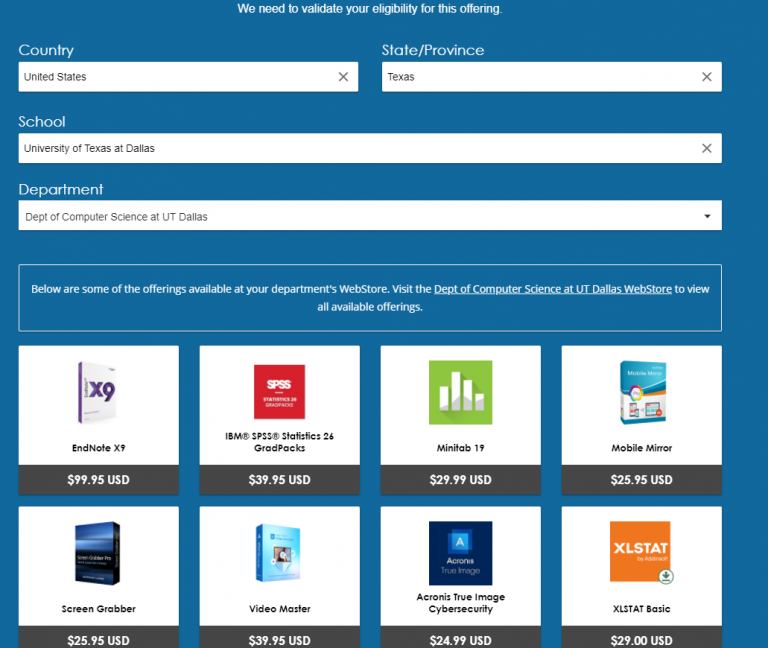
- Now click on it, that will take you to another page, here you have to check for eligibility.

- If the student details are verified and eligible for the discount then you will suggest you create a mail id with .edu.

- And done, you have successfully received windows 10
Final Words
As per my knowledge, these are the applications I could fetch details, if you have suggestions or doubt please don’t hesitate to mention them in the comments below. I would love to hear from you guys let’s make this interactive. Okay, we are going to end this now, thanks for reading the post, and don’t forget to comment below hope you are doing great! have a good day.