Facebook and Facebook messenger are great platforms for connecting with your old friends or even for making a new one. But we all know many times because of various reasons we wish for the contrary i.e. we want to end the connection. Facebook developers also thought about this and hence it comes with the features to remove someone from Messenger. If you also want to cut your connection with someone you can read through this article and you’ll know how to remove/delete or block someone from the messenger.
How to Remove Someone From Messenger?
As mentioned earlier there are several ways provided by which you can get rid of a contact in your messenger. The various procedures depend upon whether that person is your friend or not on Facebook, whether the device you are using is Android or iOS. So in a nutshell we aim to provide you with a solution by the end of this article. So let’s begin with the methods.
1. Delete a contact
Whether it is your friend or just a random guy, if you get a message from them, and you accept the message request, A new chat will begin. On Messenger, by deleting such chats, you can remove them from the list, but maintain the contact.
1. Delete Someone Who is on Your Friend List
When you delete someone on messenger, the person will remain in your Facebook friend list but the chat with that person on messenger will get deleted. So now, let’s see how you can delete someone from the messenger who is already your friend on Facebook. You can follow the method given below:
Step 1: Open the Messenger app on your device.
Step 2: Select the people icon which will show all the friends online on messenger.
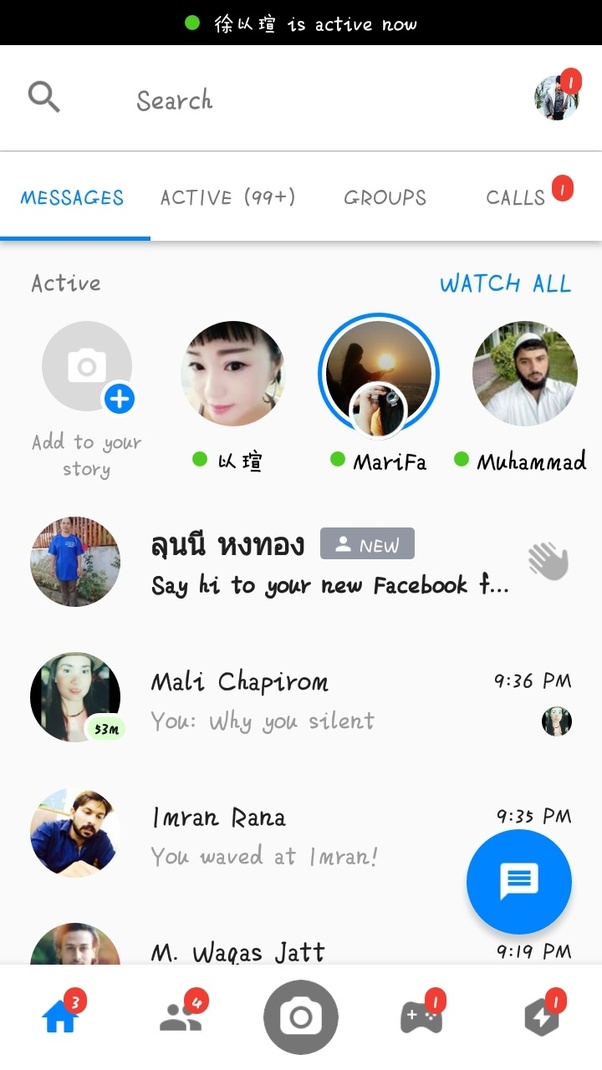
Step 3: In the Messenger tab hover your mouse till you find the friend you wish to remove.
Step 4: Click on the info icon right to the contact.
Step 5: Select Remove contact.

Step 6: Click on the Accept option. The contact will be successfully removed.
2. Delete Someone Who is not on your Friend List
Someone who is not your Facebook friend keeps on messaging you? Don’t worry here are the steps you can follow to delete someone on the messenger who is not your friend. But he still will be able to send you friend requests and messages, though the message will now appear in message requests.
Step 1: Open the Messenger app.
Step 2: Click on the people icon and then select the contacts icon which will open all your contacts.
Step 3: Find the contact you want to remove and click on the info icon present at the right of that friend.

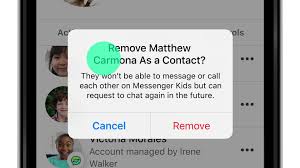
Step 4: Then click Remove Contact and then confirm by clicking Remove. The contact will be removed now.
3. Remove Contact not in Friend List in Bulk in Messenger
This option is appropriate if one is fed up with unknown people messaging him. If you don’t want to waste time in selecting a particular person and deleting their chat then this is the appropriate method for you by which you can just delete all the chats with non-friend people.
Step 1: Open the messenger app.
Step 2: Click on your profile picture at the top left corner of the screen.
Step 3: Find and click on the people option.
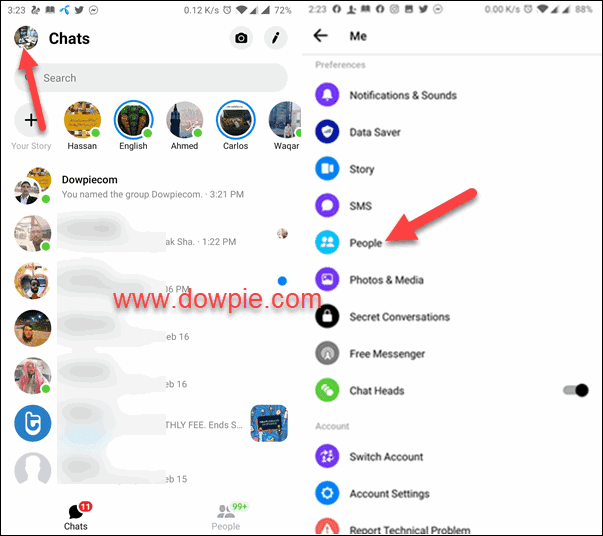
Step 4: Then click on the manage contacts option.
Step 5: It’ll show all the non-friend contacts. Then select Delete all contacts.
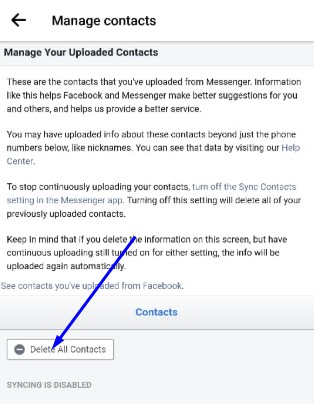
All the contacts not in your friend list will be removed.
4. Remove Someone From Messenger Group chat
If you wish to remove someone from a group chat then you need to follow the below-given procedure.
Step 1: Open the messenger app.
Step 2: Open the group chat from which you want to remove the person.
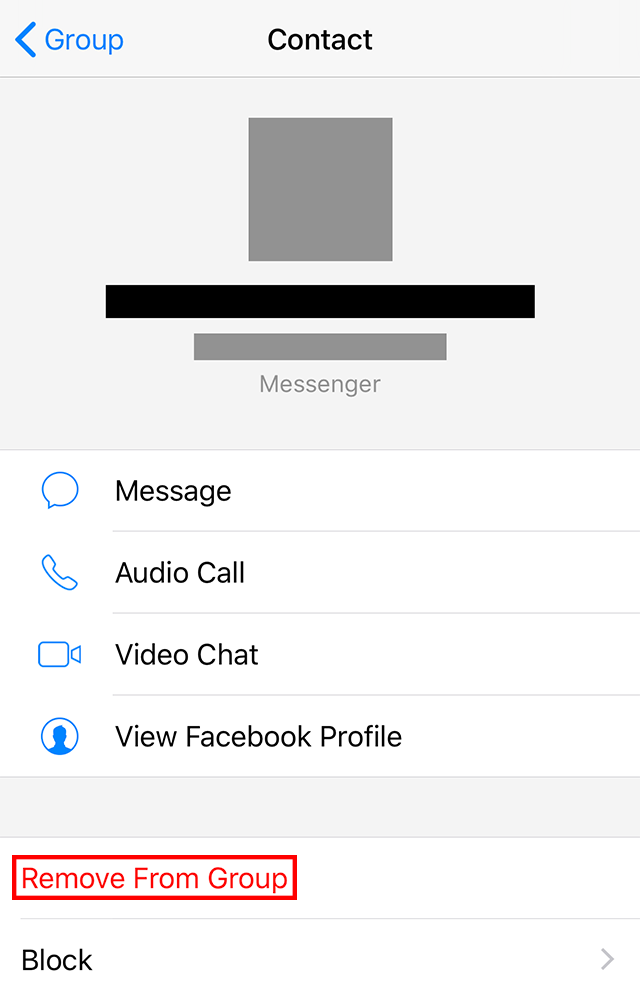
Step 3: Click on the profile picture of the contact you wish to remove from the group.

Step 4: Click on the remove from group option. This will remove that person from the group chat.
2. Unfriend Someone on Messenger
If you want to remove there is an option to unfriend them too. This way if you want you will still be able to chat with them normally but they no longer will be on your friend list. If you have your account as private then they won’t be able to see your profile also. To unfriend someone just follow the below procedure.
Step 1: Open the Messenger app and then open the conversation with the contact you wish to Unfriend.
Step 2: Then select the info icon present on the top right of your screen beside the video call option.
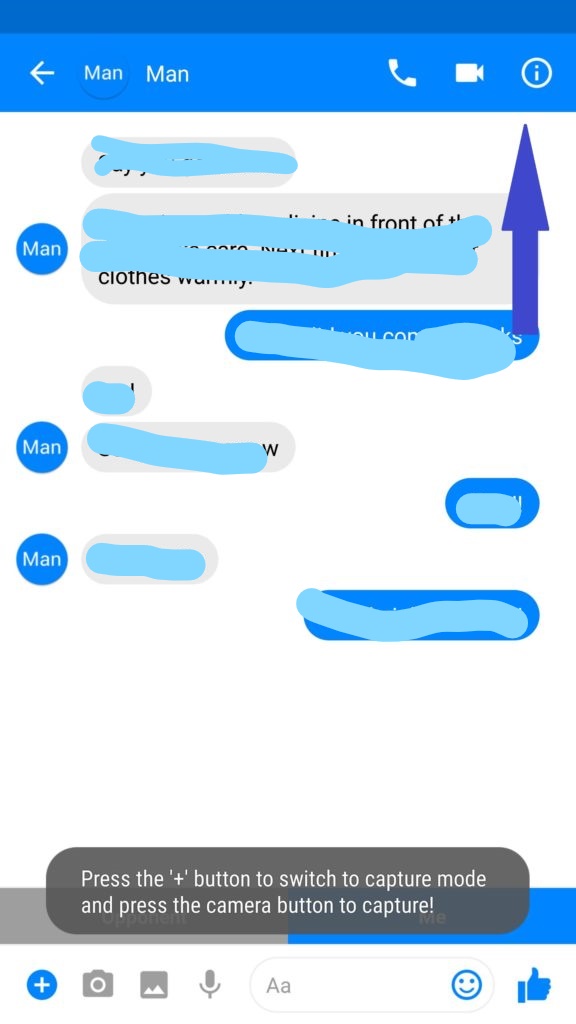
Step 3: Select the view profile on the Facebook option.
Step 4: Now click on Friends and select the Unfriend option.
3. Block a Contact on Fb Messenger
From the above-mentioned options through the contact will be removed from your messenger but still he/ she will be able to text you. Just these messages will be shown as message requests and won’t be marked as seen until you accept the request.
But if you wish to permanently remove the person from messenger then you can block that contact and he will no longer be able to message you. Moreover, he/she will also be removed as your friend from Facebook. Only in a group chat if you both are members you will still be able to see each other’s messages.
Step 1: Open your messenger app and then open the conversation of the person you wish to block.
Step 2: Then select the info icon present on the top right of your screen beside the video call option.
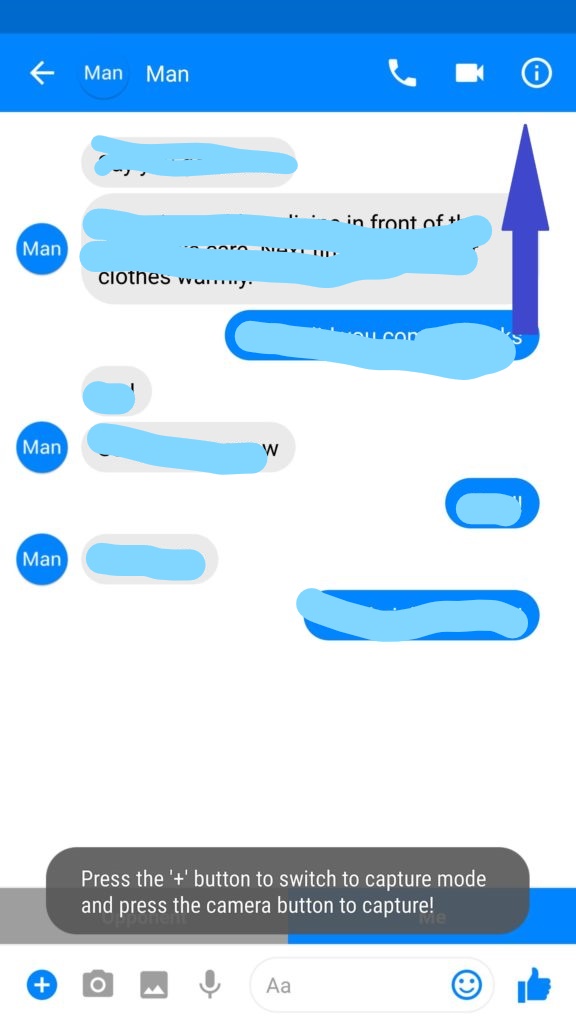
Step 3: Scroll to the bottom to the block option. Then click on the Block option.
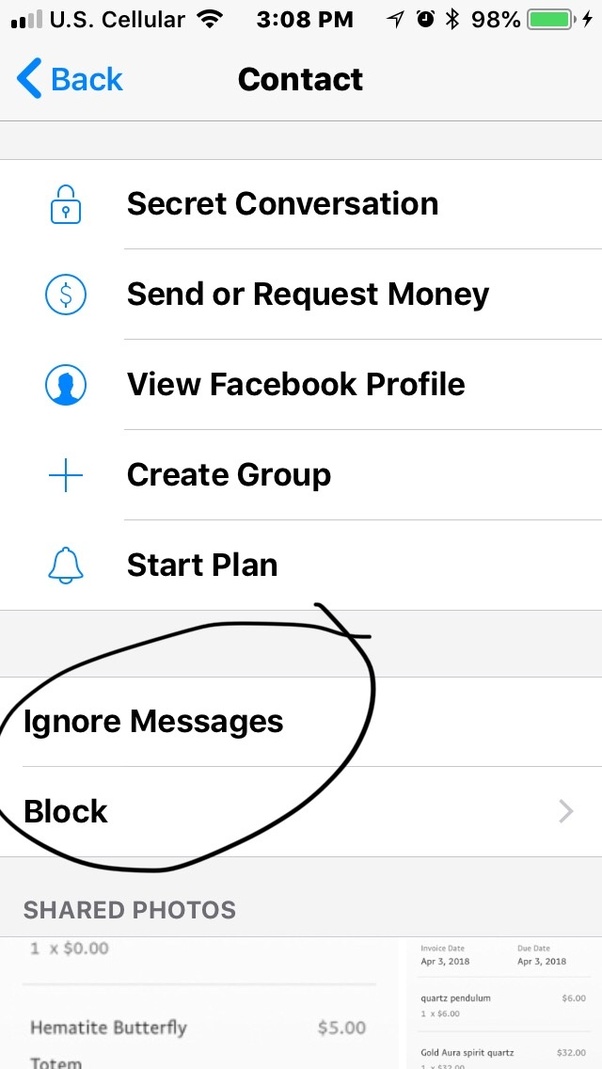
Step 4: Then just click on the button present on the right side and the person will be blocked now.
4. Mute a Contact
But sometimes actually it’s not that we want to remove the person or block him but it’s just the notifications of that contact that irritates us.
Trust me I know how annoying it gets when you are expecting an important message and you check your phone on every ‘ting’ expecting it but all you receive is some random message or maybe memes shared by one of your friends or a random person.
If this is the case with you there is a simple option for you rather than completely removing that contact from the messenger. You can simply mute that contact.
Step 1: Open messenger and open the conversation of the contact you want to mute.
Step 2: Click on the info icon present on the top right corner of your screen.
Step 3: Scroll down and select the Notifications option and a menu will appear.
Step 4: Now select Mute conversation and the contact’s notification will successfully be muted.
Final Words
The aforementioned are procedures of how to remove/delete or block someone from messenger and you just need to follow the step-wise instructions and you’ll successfully be able to get rid of the particular contact. Also, we have provided an alternative option in case you don’t wish to completely cut off from contact. We hope now you’ll be able to happily socialize on Facebook.