MBOX is a file format widely used by many email clients, like Google Takeout, Apple Mail, Pocomail, Mozilla Thunderbird, and more. If you want to move MBOX file data to Microsoft Outlook, you can’t do it directly as this format is not supported by Outlook. You need to convert the MBOX file into the Outlook-supported PST format. The easiest option to convert MBOX file into PST is by using a specialized MBOX to PST converter tool, such as Stellar Converter for MBOX. Below, we will be discussing this tool in detail, along with its features and functionality.
About Stellar Converter for MBOX
Stellar Converter for MBOX is a popular tool for converting the data from MBOX file into PST and various other formats. It can also directly export MBOX file data to an existing Outlook profile or Microsoft 365 account. This tool converts all the MBOX file data with complete accuracy and reliability. It supports MBOX files of all the popular MBOX-based email clients, including Apple Mail, Pocomail, Mozilla Thunderbird, Entourage, and others. The best part about this tool is its intuitive user interface that makes it easy and quick to convert the MBOX file. It also allows to monitor the progress of conversion process.
This tool can be used across a wide range of use cases and scenarios, including:
- Migrating user mailboxes from Thunderbird to Outlook PST.
- Moving data from MBOX to Microsoft 365.
- Exporting emails from Gmail (Google Takeout) to Outlook PST.
- Safely migrating data from Apple Mail to PST format.
- Converting Pocomail and Entourage MBOX files to PST.
Features of Stellar Converter for MBOX
Some key features of Stellar Converter for MBOX are:
- Imports MBOX emails into Outlook with minimal effort.
- Maintains data integrity and ensures data safety during conversion.
- Accurate conversion, with no data loss.
- Supports 16+ MBOX-based email clients.
- Offers advanced filters for selective data conversion.
- Allows you to save MBOX emails in a new or existing PST file.
- Auto-splits large PST files.
- Retains the directory and folder hierarchy after file conversion.
- Imports contents into any Outlook client or profile.
- Offers multiple saving options.
How to Convert MBOX File into PST using Stellar Converter for MBOX?
Below are the detailed steps involved in converting the MBOX file into PST format using the software.
Step 1: Download and Install
Download Stellar Converter for MBOX from official website and double-click the downloaded file. The installation wizard will take you through the installation process. Simply follow the steps and stick to the defaults.
Step 2: Select the MBOX File
Once the tool is installed, open it. The home page will prompt you to select the MBOX file you want to convert. If you know the exact location of the MBOX file, click browse to go to the file location and select it.
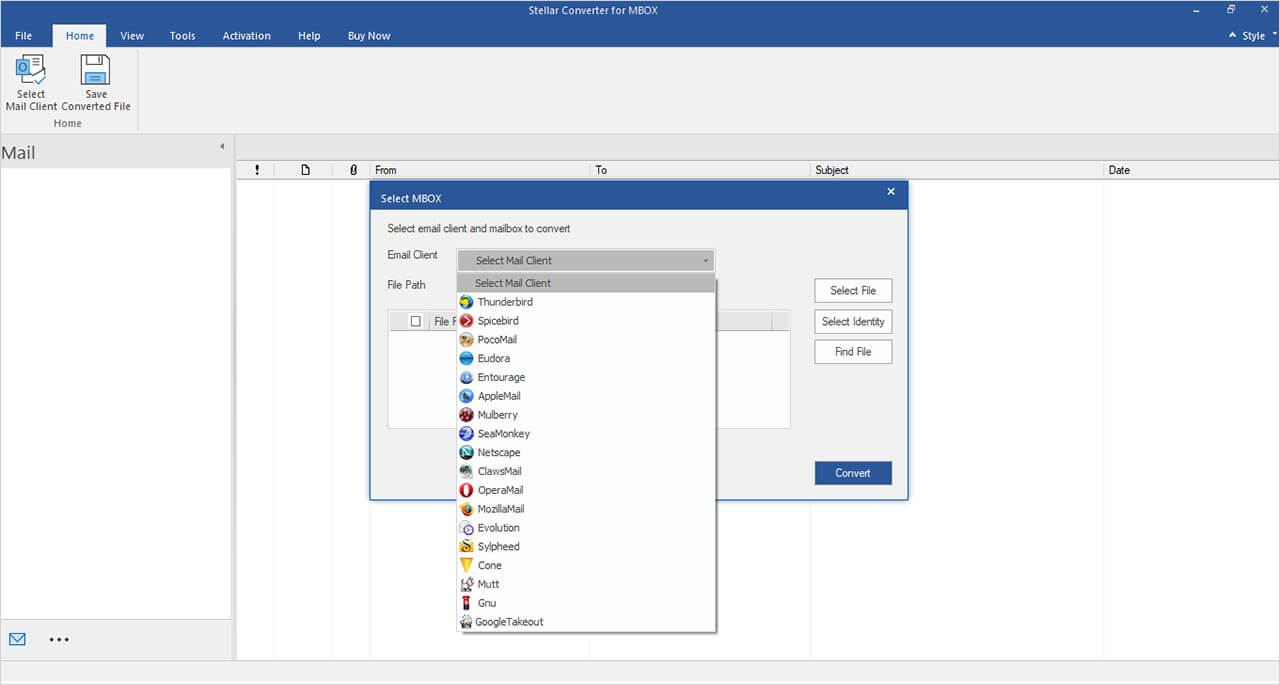
Otherwise, you can search the file on the system by clicking on the Find File button. If there are multiple files, pick the one you want to convert.
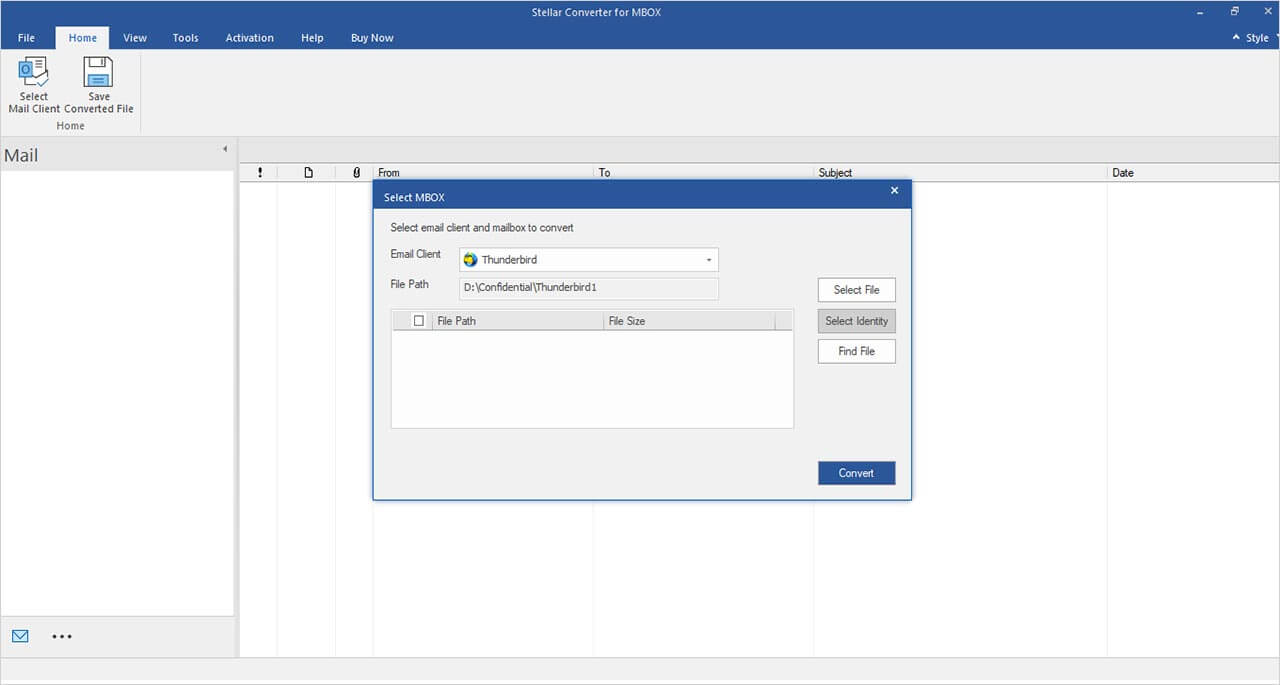
Step 3: Preview the Contents
After selecting the file, click on the Convert button. The tool will extract all the contents from the file and display them in a preview window. This may take some time if the MBOX file is large.
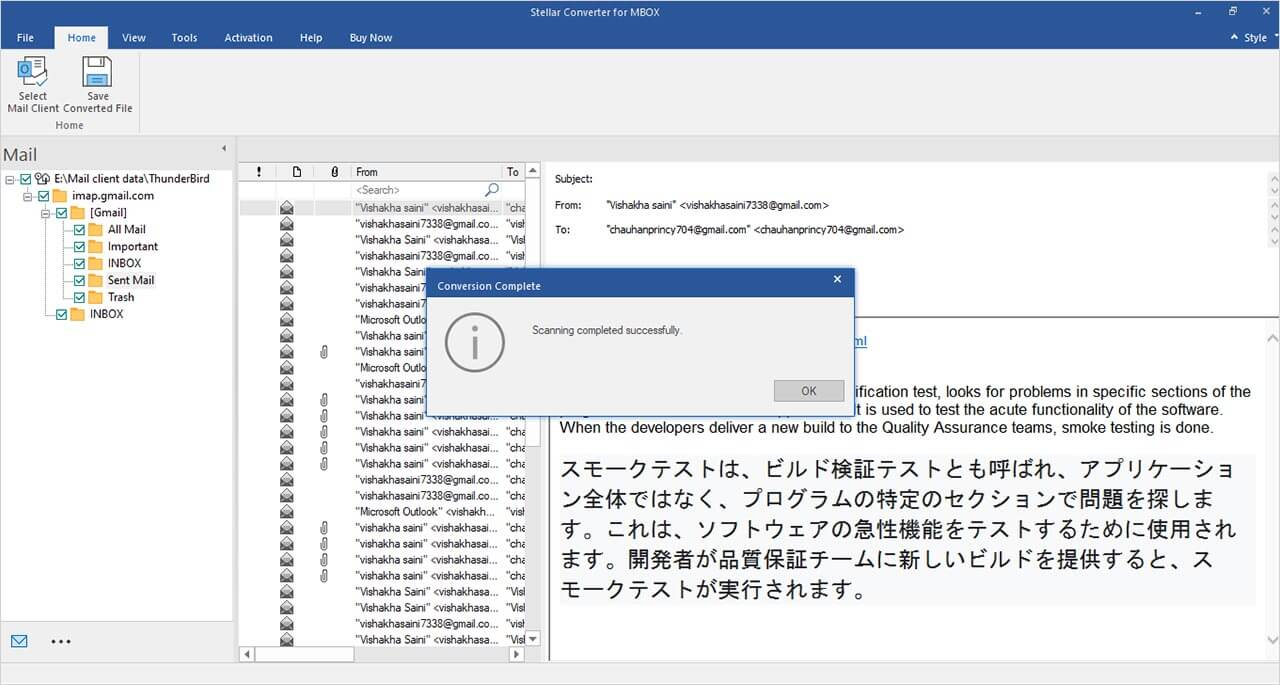
Step 4: Select the Content
From the preview window, you can select the items you want to convert. Then, click on Save.
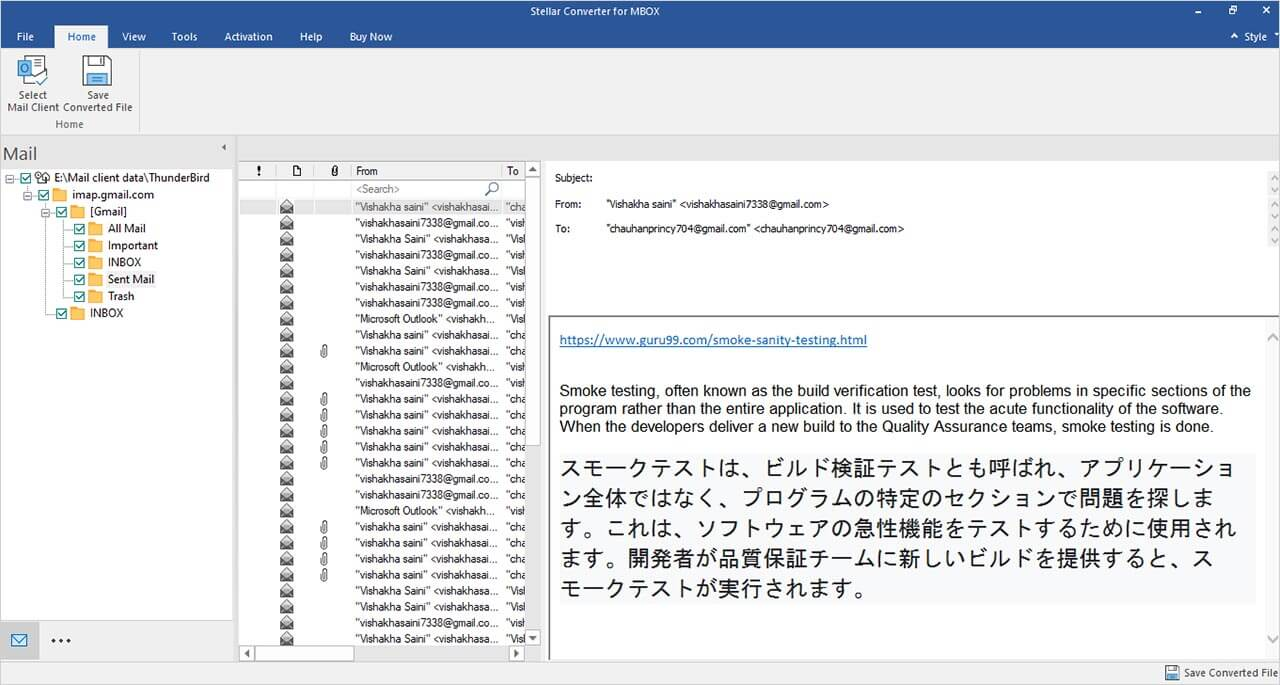
Step 5: Select the Destination File Format and Location
Next, select the file format. Besides PST, the tool can save MBOX emails to RTF, PDF, and HTML formats.
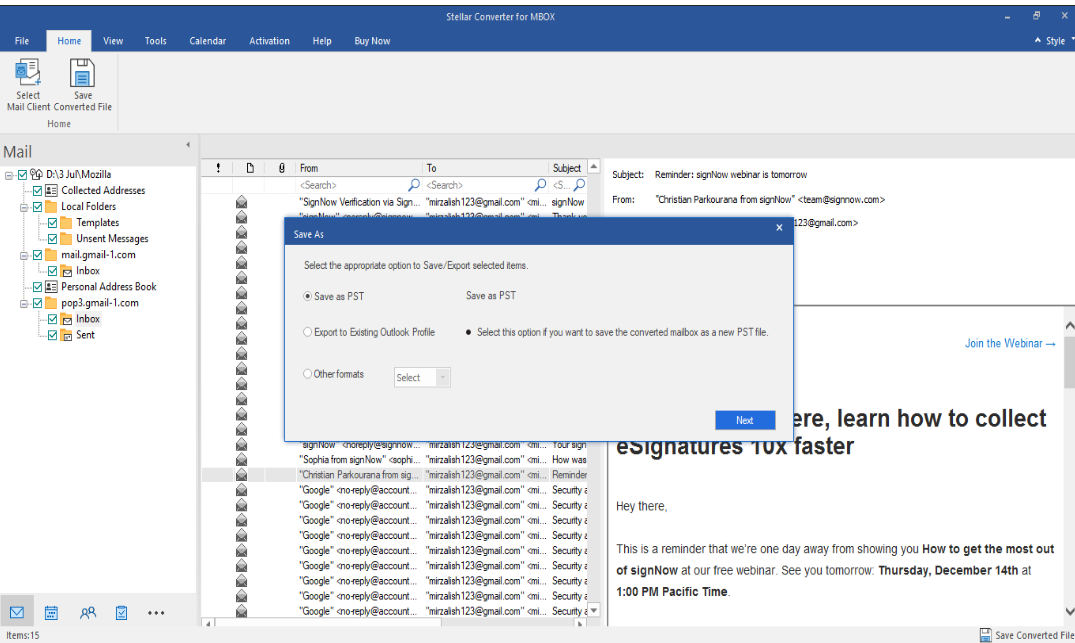
You can even migrate the converted data directly to Microsoft 365. For this, you need the Microsoft 365 credentials. Also, you can directly export to an existing Outlook profile.
In the next window, select the destination folder to save the converted file.
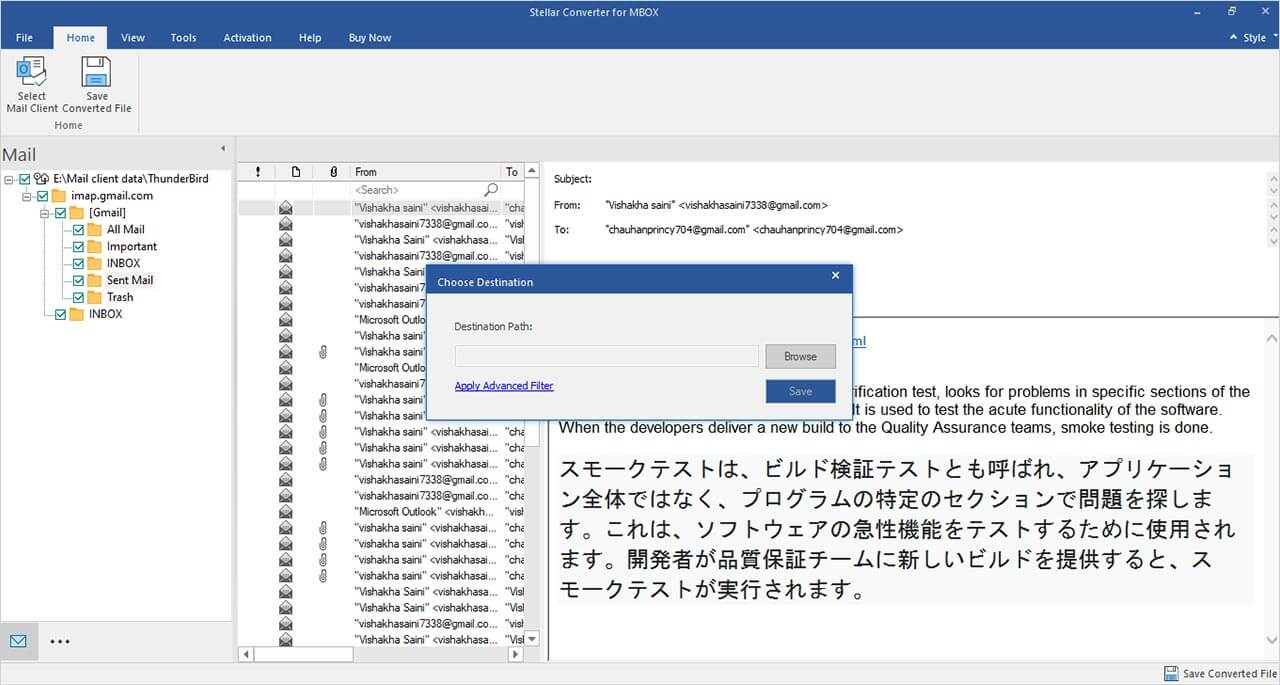
That’s it! Sit back and wait for the tool to finish the conversion process. You can also track its progress.
Online MBOX to PST Converter: A Convenient Alternative
While evaluating the desktop software, I also explored Stellar’s Online MBOX to PST Converter. This browser-based tool is designed for users who need a quick conversion without downloading or installing software.
The online converter follows a simple three-step process: upload the MBOX file, convert it to PST format, and download the converted file. Since the entire process runs online, it works across Windows, macOS, and Linux systems without requiring Microsoft Outlook to be installed.
One aspect I particularly liked is its simplicity. Users can convert MBOX files from popular email clients such as Thunderbird, Apple Mail, Entourage, Google Takeout, and several other MBOX-based applications directly from a web browser. The tool also preserves the original mailbox structure and provides a preview of the converted data before download.
From a security perspective, Stellar states that uploaded files are transferred using SSL encryption and automatically deleted from their servers after 24 hours. This is a useful feature for users handling sensitive mailbox data.
Pricing and Licensing
Stellar offers both desktop and online MBOX-to-PST conversion solutions, giving users the flexibility to choose an option based on the size of their mailbox, migration requirements, and budget.
| Product | Edition | Best For | Price |
|---|---|---|---|
| Online MBOX to PST Converter | Free | Quick, one-time conversion of a single MBOX file up to 100 MB | Free |
| Online MBOX to PST Converter | Premium | Converting up to 5 MBOX files with file sizes up to 5 GB each | $19.99 |
| Stellar Converter for MBOX | Corporate | Individual users needing MBOX to PST, MSG, or EML conversion | $39/year |
| Stellar Converter for MBOX | Technician | IT administrators and professionals requiring Outlook Profile and Microsoft 365 migration | $99/year |
The free online converter is a useful option for users who only need to convert a small MBOX mailbox occasionally. The Premium online plan expands the file size limit and supports multiple conversions, making it suitable for larger personal mailboxes.
However, if you’re planning a full-scale migration, working with large MBOX archives, or need advanced capabilities such as direct export to Outlook profiles and Microsoft 365, the desktop editions offer significantly more flexibility and long-term value. During testing, the Technician edition stood out as the most comprehensive option, especially for business users and migration professionals handling multiple mailboxes.
Verdict
As you can see, Stellar Converter for MBOX is a simple to use and at the same time, powerful tool that can easily convert MBOX files into PST in just a few clicks. It offers various advanced features that help in converting MBOX file with ease. Given the many features and ease of use, we can say that Stellar Converter for MBOX offers great value for money.