GoPro footage holds adventure, emotion, and moments that matter, yet files can vanish without warning. A corrupt SD card, sudden power loss, or accidental deletion can erase valuable clips or photos. Though lost files can cause worry, GoPro data recovery gives hope.
Therefore, this explains how to make GoPro file recovery possible in simple and effective ways. The right tool can pull back clips from a card or folder that looks dead.
Part 1. Common Causes of Deleted GoPro Videos
Before you look for simple ways to recover deleted GoPro videos, head to the listed reasons for file loss:

- Accidental Deletion: A user may accidentally delete clips on the camera, in the app, or on a computer. The “Delete all” or “Format SD card” option can delete all files at once when the user only wants to clear a few.
- SD Card Formatting: Formatting the microSD card on the GoPro or computer removes all files at once. A quick format may allow files to be recovered if the card is unused, but a complete or repeated format makes recovery very difficult.
- SD Card Corruption or Card Faults: Cards may malfunction because of water, drops, heat, or poor quality of components. In addition, file system errors or physical damage may make clips invisible, unreadable, or display a zero size.
- Interrupted File Transfer: Files can be lost or damaged if the card is pulled out during a transfer to a computer or phone. Also, files in both the card and the computer can be deleted or corrupted by crashes, faulty USB cables, loss of power, or the shutdown of a camera in the middle of transfer.
- Firmware or App Issues: Old firmware, app bugs, or glitches in GoPro Quik can stop files from saving correctly. Plus, auto-upload or auto-clear features may remove files from the card after cloud backup, which may look like random deletion.
Part 2. Precautionary Measures to Protect GoPro Data Before Recovery
After understanding the reasons, adhere to the listed prerequisites to initiate the GoPro recover deleted files process:
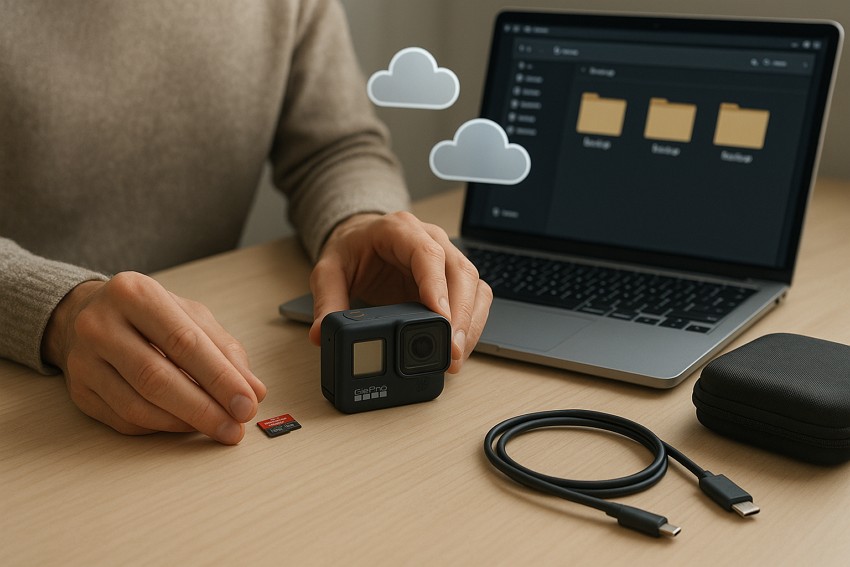
- Stop using the SD card immediately to avoid overwriting lost videos or photos.
- Remove the microSD card carefully from the camera to prevent physical damage.
- Do not format the card even if the camera or computer prompts you.
- Copy all visible videos and photos to a computer for extra safety first.
- Turn off the GoPro before removing the SD card to avoid data loss.
Part 3. 3 Effective Methods to Recover Deleted GoPro Videos
To recover deleted GoPro video, this section outlines 3 simple, practical solutions to try. So, review them and determine which solution proves to be effective in file recovery.
Method 1: Use Mac Data Recovery Software (Recoverit)
Regardless of the reason files were lost, Wondershare Recoverit is an ideal solution that enables you to recover various file types from GoPro, including videos and photos. To that end, it supports multiple GoPro file formats, including MP4, HEVC, THM, and LRV. Additionally, it enables users to retrieve data from almost all GoPro action cameras, including HERO 13 Black and HERO 13 Black Ultra-Wide Edition.
From microSD to microSDHC and microSDXC, this tool also ensures data recovery from all types of SD cards that GoPro uses to store media. While offering 1000+ format support and recovery solutions at an affordable price, this tool is ideal for beginners. This is because it provides fully guided steps with the ability to preview the recovered files.
Key Features
- Batch Processing: For GoPro file recovery, the tool offers batch processing to save the manual hassle of recovering files.
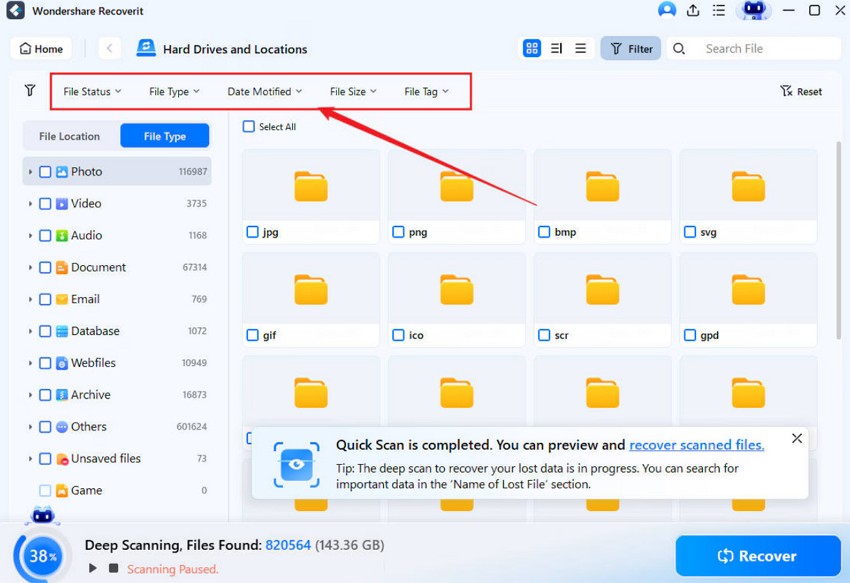
- Filter Option: During the scan, users can filter the file types according to size, time, and type for selective recovery.
- Quick Scan: Recoverit features a quick scan facility to recover lost data, which users can pause or resume when needed.
How to Restore Lost GoPro Videos/Files Using Recoverit | Simple Guide
To know how you can recover deleted GoPro video or any other data with Recoverit, follow the simple guide given ahead:
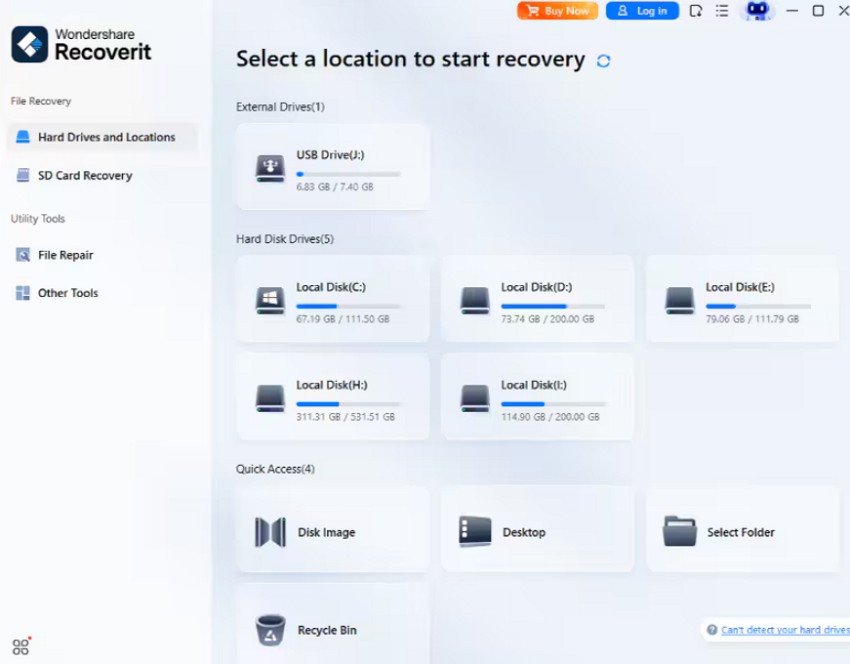
Step 1. Determine the Location for Lost GoPro Files
Within the “Hard Drive and Locations” tab, choose from the “External Drives” or “Hard Disk Drives” to locate the location where you lost the file.
Step 2. Start the Quick Scan or Filter the Files During Scan
After you do this, the tool will automatically start the Quick scan, and you can filter the files during that process.
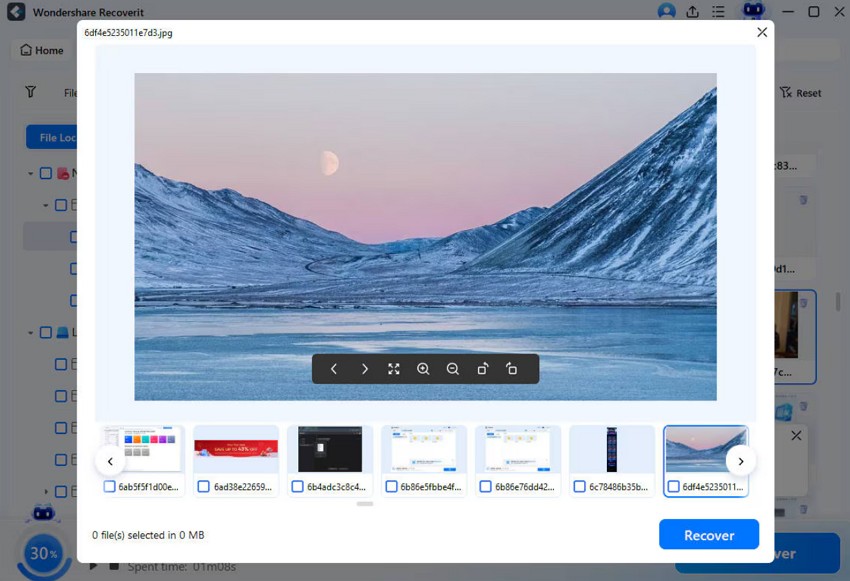
Step 3. Preview and Save the Recovered GoPro Files
Once recovery is complete, locate the lost file and click the “Recover” button to save it to the device.
Method 2: Check the GoPro SD Card for Hidden or Deleted Files
For GoPro file recovery, check the GoPro SD card directly to see hidden or deleted files before taking any risk. There is a chance that the camera or app may hide corrupt or partial files that still exist on the card. Thus, scanning the card on a computer can show original video fragments and any card errors.
Method 3: Restore from Cloud Backup (GoPro Cloud, Google Drive, Dropbox)
Services such as GoPro Cloud, Google Drive, and Dropbox keep separate copies of your videos, so issues on the SD card do not affect them. Many cloud platforms keep older versions or a trash folder, which allows recovery after accidental deletion. Hence, users can download clips on any device with internet access, as guided:
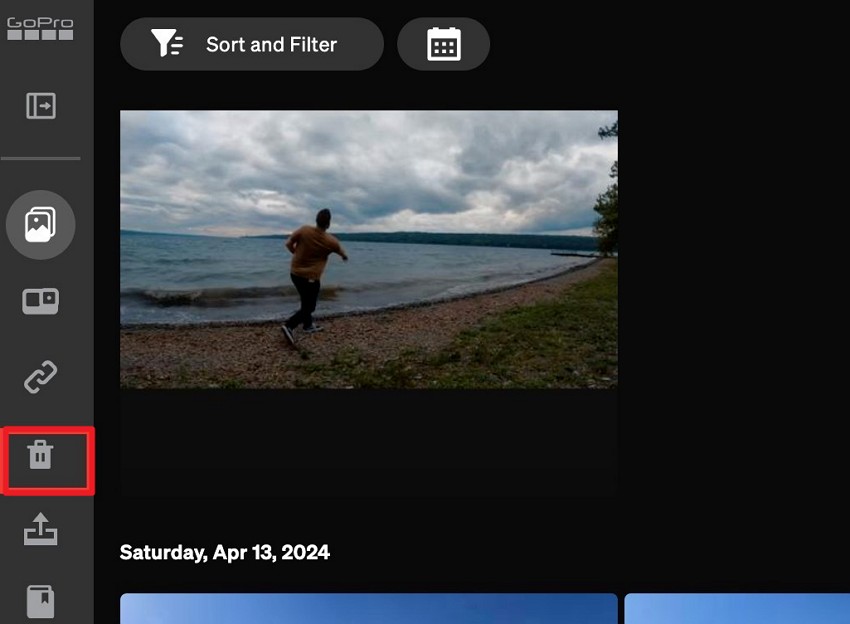
Step 1. To make it possible for GoPro recover deleted files via GoPro Cloud, download and install the GoPro Quik app or log in to GoPro Plus online. After that, head to the “Media Library” section and go to the “Trash” tab.
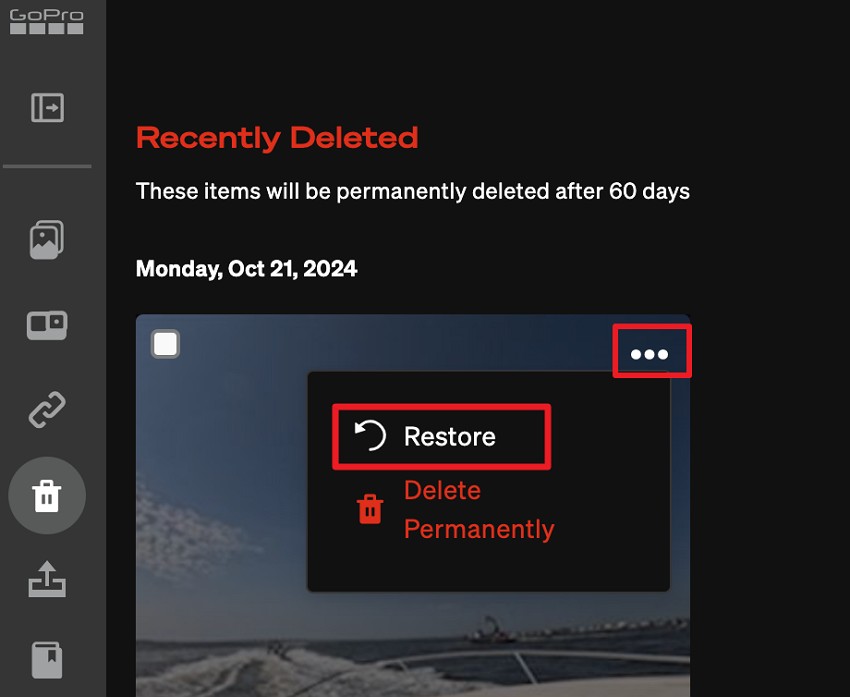
Step 2. Locate the video that you seek to restore and press the “Three Dots” icon to choose the “Restore” option.
Part 4. 5 Safe Practices to Keep Your GoPro Data Secure
Though you know how to recover deleted GoPro video, follow the listed tips to prevent the deletion in the future:
- Use a Good SD Card: It is always advisable to use an original, or GoPro-recommended microSD card to prevent unexpected card failure or loss of data. Be aware that low-priced or counterfeit cards may break down easily, and loss of videos and photos will be irreversible.
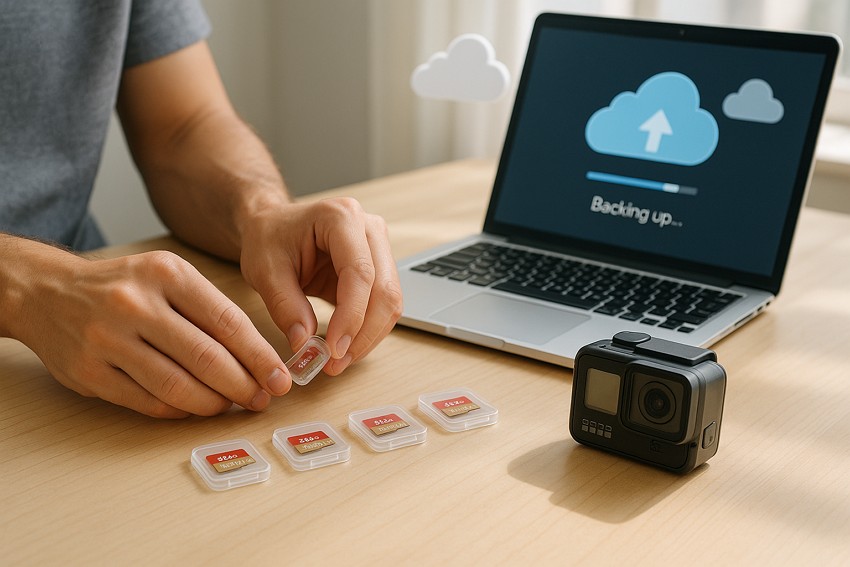
- Make Backups: At the end of each session, make copies on a computer or the cloud of all the videos and pictures. Therefore, frequent backups retain files even when the SD card is lost or destroyed.
- Switch Off the Camera Before Fetching the Card: Make sure you turn off the GoPro fully before unloading the SD card to avoid corruption of files. This may cause videos and photos to be hard to read, in case you take out the card when the camera is on.
- Avoid Sudden Shuts or Blackouts: Do not replace the battery or power off when the camera is recording valuable data. Sudden power failures may corrupt videos, photographs, or the file system of the card.
- Do Not Fill the Card: Leave some free space on the SD card to reduce the chance of file corruption. When cards are full, there is a risk of errors that can cause videos to be lost or broken.
Conclusion
Summing up, if you have lost valuable GoPro footage, this guide has explained how to make GoPro file recovery possible. So, review the listed solutions, and if you have connectivity issues as you restore them from GoPro Cloud, Recoverit usage is suggested. The tool allows you to restore multiple file types in a few taps, and users won’t face any connectivity issues either.